Registration
Create a polished attendee experience with a complete registration system that brings personalised communication, intuitive form building and name badges together in one place.
Create your own registration form
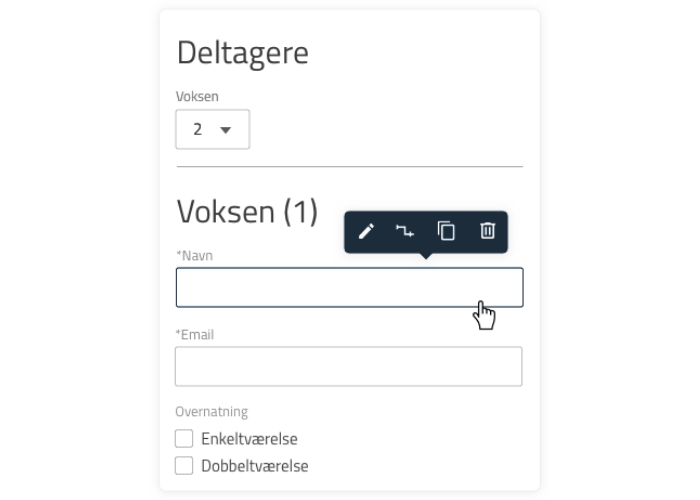
Build your registration form from one of our templates, or create a custom form that fits your attendees’ needs exactly. It can be simple or complex – that depends entirely on your event – and it can be reused again and again.
Build the form with drag-and-drop and simple settings.
Add panels, help texts, text fields, dropdowns, date fields and checkboxes.
Set up rules and limits for the various options.
Adapt the flow so attendees only see the options that are relevant to them.
Create complex registrations when your event calls for it.
Validate against a membership system – ours or an external one.
Invitations
Make registration smoother still with invitations. Upload an attendee list with any details you want filled in automatically when people register.
Invite attendees.
Follow along as people respond, and see who and how many have replied.
Send targeted reminders to those who have not replied yet.
Give attendees the option to decline further reminders.
Lock registration so only invited attendees can sign up.

Communicating with attendees
Stay in touch with your attendees. Send emails right away, or schedule them for later. Send targeted emails to one, several or all attendees based on the choices they made during registration.
Personalise your emails with tags such as the attendee’s name and the event’s name, time and date.
Set up your emails the way you want, with images, columns and more.
Attach files easily, for example a programme overview.
Adapt the email header: use the general branding, or create one specifically for the individual event.
Send emails at the right moments, for example “We look forward to seeing you” or “Thank you for coming”.

Name badges and printing
Design name badges that reflect your event and brand. You choose the format, the layout and the information shown. Print attendees’ name badges on arrival as they come in: when you scan the attendee’s ticket or registration confirmation, the system automatically generates and prints the badge on the badge printer. You can also download a combined badge file and print every badge on your own printer before the event.
If you prefer to handle printing and production yourself, you can export all attendee data in Excel or CSV format.

Features
Selected registration features
Expand to see the most important parts of the registration system.
Adjust colours, fonts and visual elements, so your unique brand identity carries automatically across everything from emails and confirmations to the registration flow, which can be built from templates or your own setups.
As the organiser you choose which language or languages your registration is offered in. Danish, Norwegian and English are supported at present. If you need another language, please do get in touch.
Get started quickly with drag-and-drop, help texts, text inputs, dropdowns, dates, checkboxes and rules, plus the system’s many other options. You can shape your registration whatever its size and complexity.
Upload attendee lists, invite attendees and follow who has replied. Send targeted reminders to those still outstanding.
Send emails to one, several or all attendees, and adapt the communication with colours, logo, tags, images and files.
Design and print name badges on arrival, or export attendee data for your own production.
Measure the effect of your marketing and understand your attendees’ behaviour by connecting Meta Pixel, Google Analytics (Google Tag) and Google Tag Manager.
Plans and pricing
Whether you run large or small events, we have a plan that fits your needs – and the system scales up or down as those needs change.